
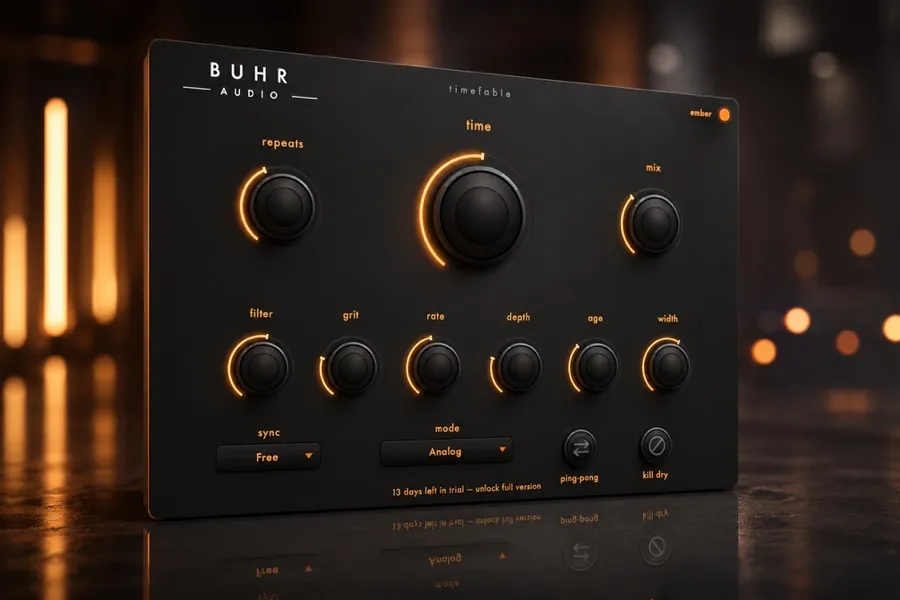
A dub delay is a tape-style delay with high feedback, filtered repeats and hands-on performance. Push feedback toward self-oscillation, sweep the tone/filter as the repeats build, and add modulation for that seasick analog wobble. An analog-modelled delay like TimeFable is built for exactly this.
What makes a delay sound 'dub'?
Dub delay is less about a specific setting and more about a behaviour. It comes from tape and analog echo units (like the legendary Space Echo) pushed hard: long repeats, high feedback that trails off into a haze, a tone that darkens and degrades with each pass, and a player riding the controls in real time. It is a performance effect, not a set-and-forget one.
Build the foundation
- Time
- A 1/4 note or dotted 1/8 synced to tempo for that rolling, rhythmic bounce.
- Feedback
- High — 60–90%. You want the repeats to trail for a long time, right up to the edge of self-oscillation.
- Filter / tone
- Roll off highs (and some lows) so each repeat gets darker and more distant — the classic dub 'tunnel'.
- Modulation
- A touch of wow and flutter or chorus so the tail wobbles and feels organic.
Performing the dub: ride the feedback
The magic happens with your hands. The two classic moves:
- Feedback swells — push the feedback up so the repeats build into a near-infinite wash, then pull it back before it overwhelms. Automate this or ride it live.
- Throw delays — send a single word, snare hit or chord into the delay (briefly raise the send), then mute the source so only the echoing tail remains, blooming and decaying on its own.
Use modulation for the analog wobble
Real tape echoes are never perfectly stable — the tape stretches and drifts, so the pitch of the repeats wavers. Adding gentle modulation to your delay recreates that seasick, hypnotic quality and is a big part of why analog-style delays sound 'dub' and digital ones often do not. See tape vs BBD vs digital delay for why each circuit behaves differently.
Keep it from taking over
Dub delays can swallow a mix. Filter the repeats hard, duck the delay under the dry signal, and use the throws in the gaps between phrases. If you want the full framework for placing delay in a busy arrangement, read how to use delay in a mix.
Try TimeFable
Warm tape and BBD-style analog delay with hands-on modulation and character. $4 one-time. AU and VST3 for macOS and Windows.
Get TimeFableFAQ
What delay do I need for dub?
How do I make a delay self-oscillate safely?
Is tape or digital better for dub?
Written by Reinhardt Buhr, a Hamburg-based live-looping multi-instrumentalist and the developer behind Buhr Audio. TimeFable is his analog-modelled tape and BBD delay, made for dub echoes and feedback rides — try it free here.