
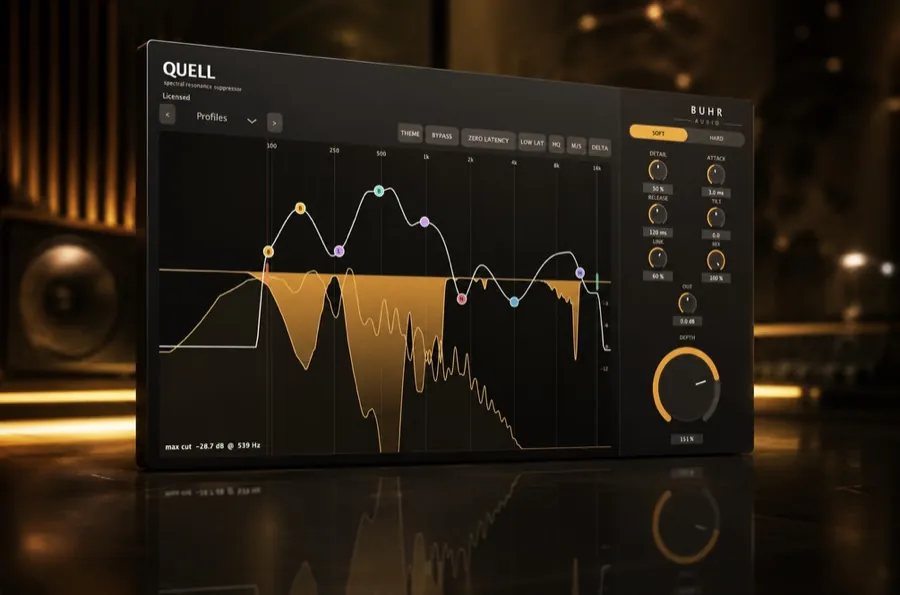
Dynamic resonance suppression detects harsh, ringing frequencies and turns them down only while they're too loud — preserving the natural tone the rest of the time. You can do it free with Quell (AU/VST3, macOS & Windows).
The problem: resonances
Almost every recorded sound has resonances — frequencies that ring louder than their neighbours because of the instrument, the room or the microphone. A bit of resonance is character. Too much is harshness: the boxy honk of an acoustic guitar, the ring of a snare, the ice-pick edge on a loud vocal note, the sizzle of a cymbal.
The catch is that resonances are intermittent and moving. They flare up on certain notes and hits, then vanish. That's exactly the situation a static tool handles badly.
Static EQ vs dynamic EQ vs resonance suppression
It helps to line these up side by side:
- Static EQ
- Cuts a fixed frequency by a fixed amount, all the time. Simple, but it dulls the source even when it sounds fine.
- Dynamic EQ
- Cuts a band only when it gets loud — but you place and tune each band by hand, a few at a time.
- Resonance suppressor
- Scans the whole spectrum automatically and tames many moving resonant peaks at once, in real time.
In other words, a spectral resonance suppressor is like having dozens of dynamic EQ bands that place and adjust themselves. That's the "dynamic" and the "spectral" in dynamic resonance suppression.
Try it free
Quell brings real-time, full-spectrum dynamic resonance suppression to every channel — $2, pay what you want.
Get Quell · $2How dynamic resonance suppression works
Under the hood, a resonance suppressor like Quell does three things continuously:
- Analyse. It breaks the signal into many frequency bands and measures where energy is spiking above the natural tonal balance.
- Decide. Where a peak crosses the threshold you've set with the sensitivity control, it's flagged as a resonance to tame.
- Suppress. It applies a narrow, short-lived reduction to that frequency — just enough, just while it's harsh — then releases as the resonance fades.
Because it's reacting moment to moment, the source keeps its body and air; only the harsh spikes get smoothed. That's why it sounds so much more natural than carving fixed notches with an EQ.
Where to use it
- Vocals — tame harsh notes and sibilance (see our vocal tutorial).
- Acoustic instruments — calm boxy, honky resonances on guitar, piano and strings.
- Drums & cymbals — control ringing snares and piercing overheads.
- Busses & masters — gently smooth harshness across a whole mix.
Doing it for free
Dynamic resonance suppression has historically been a premium effect, but it doesn't have to be expensive. Quell gives you real-time, full-spectrum suppression as a $2 AU/VST3 plugin for macOS and Windows — pay-what-you-want from $2, with no limits. For help choosing, see the best free resonance suppressor plugin in 2026.
Cleaner mixes start here
Add free dynamic resonance suppression to your toolkit today.
Get Quell · $2FAQ
What is dynamic resonance suppression?
How is it different from a dynamic EQ?
Can I do dynamic resonance suppression cheaply?
Written by Reinhardt Buhr of Buhr Audio. Quell is his $2 spectral resonance suppressor — download it free here.